

This feature is in beta. We encourage you to try it out and provide us with feedback.
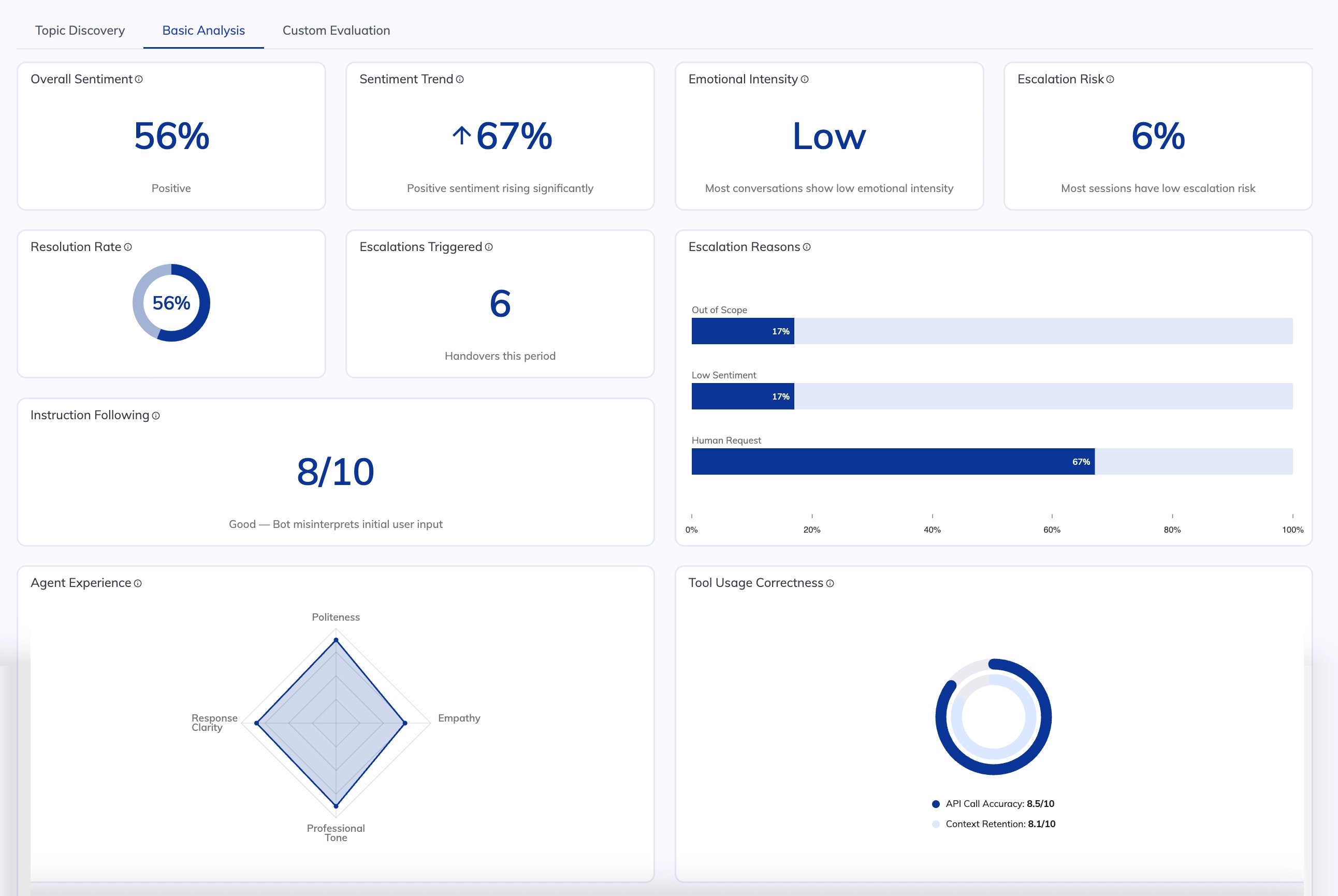
When to Use Basic Analysis
- After each analysis run — review how your AI Agent performs against quality and containment benchmarks.
- When escalation rates increase — identify the top reasons customers are handed over to human agents.
- After updating your AI Agent — verify that metrics such as Instruction Following and Tool Usage have improved.
- During periodic QA reviews — spot drops in sentiment, empathy, or resolution rate that require attention.
Restrictions
- Basic Analysis uses predefined criteria. To evaluate custom business-specific behaviors, use Custom Evaluation.
Configuration
To deactivate specific criteria:- In the left-side menu of the Insights interface, go to Configuration.
- Go to the Basic Analysis Criteria section.
- Deactivate criteria sets you don’t want to include. Save changes.
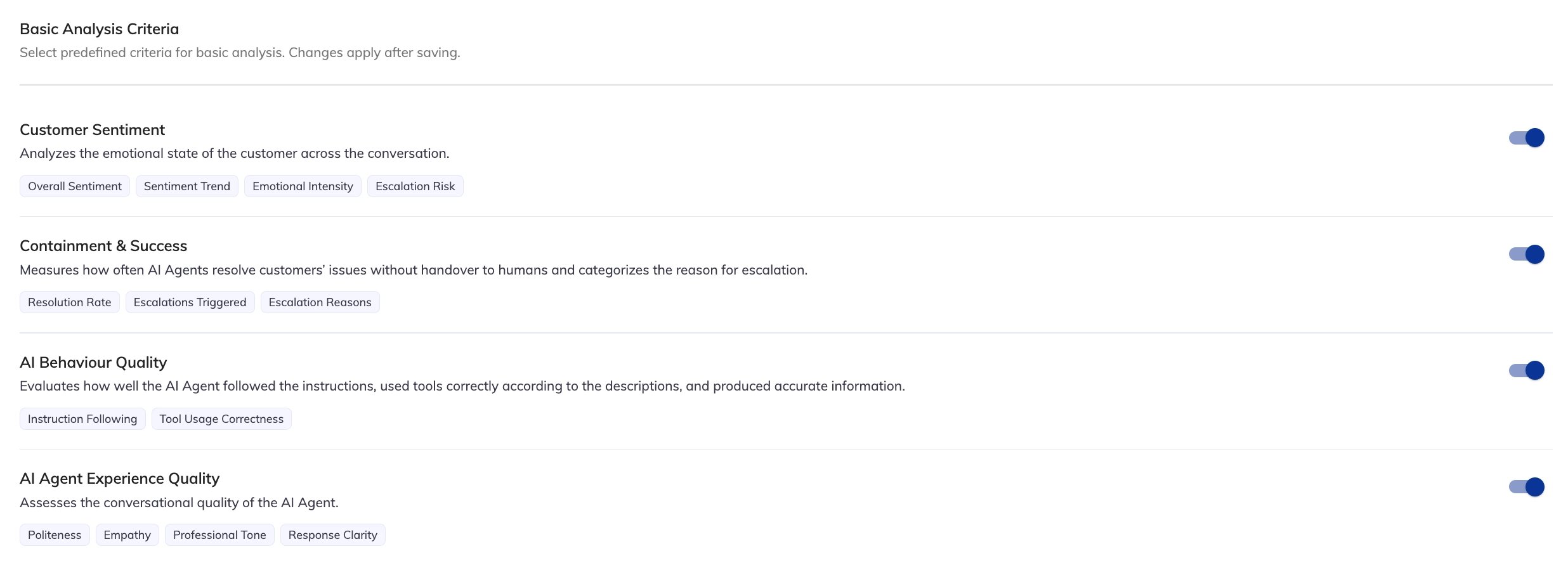
Criteria and Charts
Customer Sentiment
Analyzes the emotional state of the customer across the conversation.
Example: Analysis of a credit card dispute AI Agent shows 38% of conversations have high Emotional Intensity, and Escalation Risk is elevated where customers have contacted support more than twice in the same week. The team uses this to prioritize proactive callbacks.
Containment & Success
Measures how often the AI Agent resolves customer issues without handover to a human agent.
Example: A loan inquiry AI Agent shows a 71% resolution rate. Escalation Reasons reveal that 48% of escalations are triggered by human requests, suggesting customers frequently prefer agent assistance for complex financial topics.
AI Behaviour Quality
Evaluates how well the AI Agent followed its instructions and used tools correctly.
Example: Instruction Following drops to 6.1 out of 10 after a policy update. The team identifies that the AI Agent is still citing outdated interest rates and updates the knowledge base.