

This report is only visible with the Supervisor Role.
Indicators
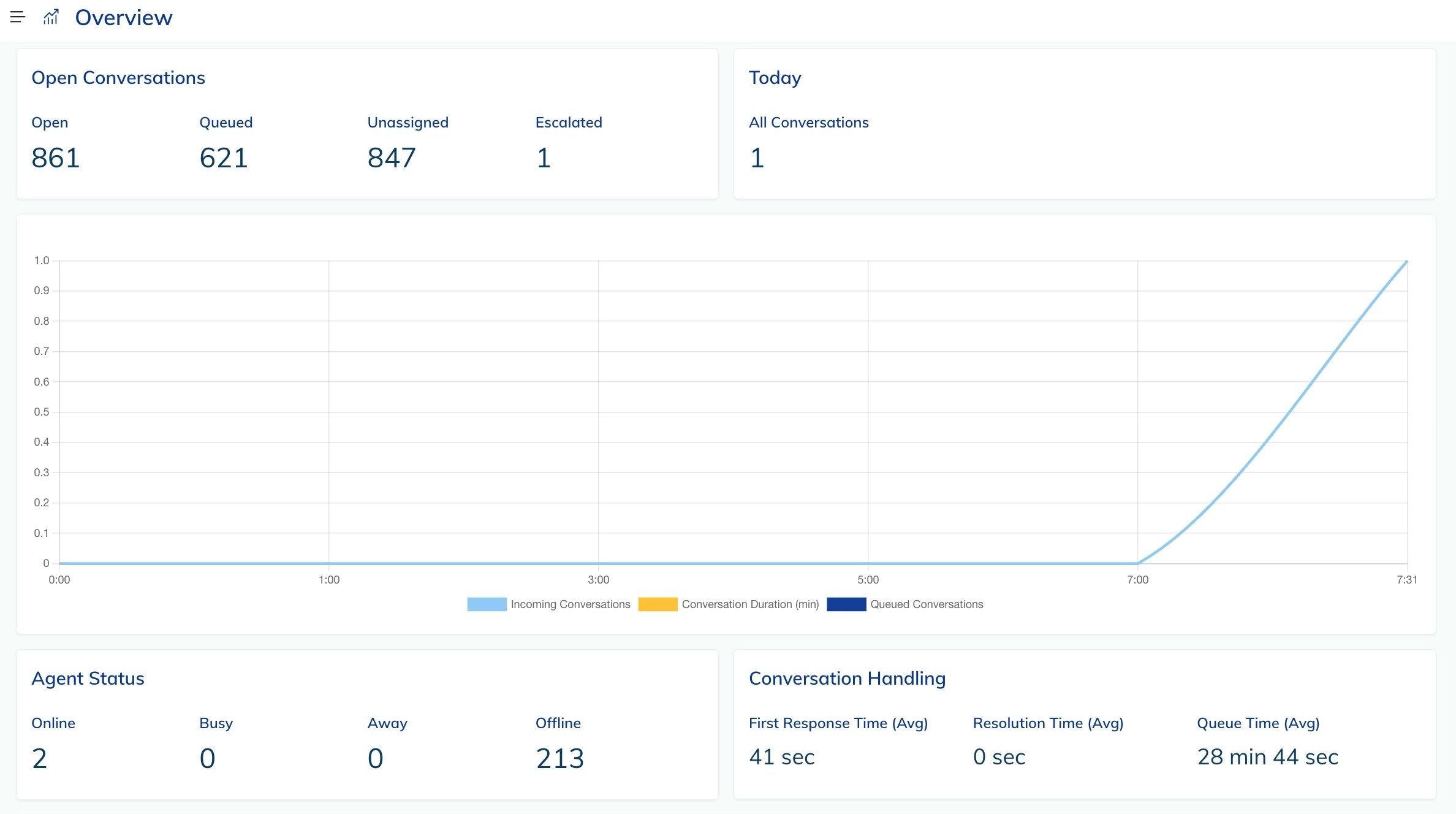
Open Conversations
Indicates the number of conversations that have the following statuses:Open, Queued, Unassigned, or Escalated.
The number of Escalated conversations changes only when the Escalate Conversations to Supervisor feature is activated at the Inbox level and an agent clicks the ↑ Escalate to Supervisor button in the Conversation Actions section of the conversation chat.
Today
Indicates the number of conversations that were handled on the current day.Agent Status
Indicates the number of agents who are currentlyOnline, Busy, Away, or Offline.
Conversation handling
Conversation handling indicates the following real-time metrics:Line Charts
Conversation Metrics
Indicates conversation details in a 24-hour time grid, visualized with colored lines:Tables
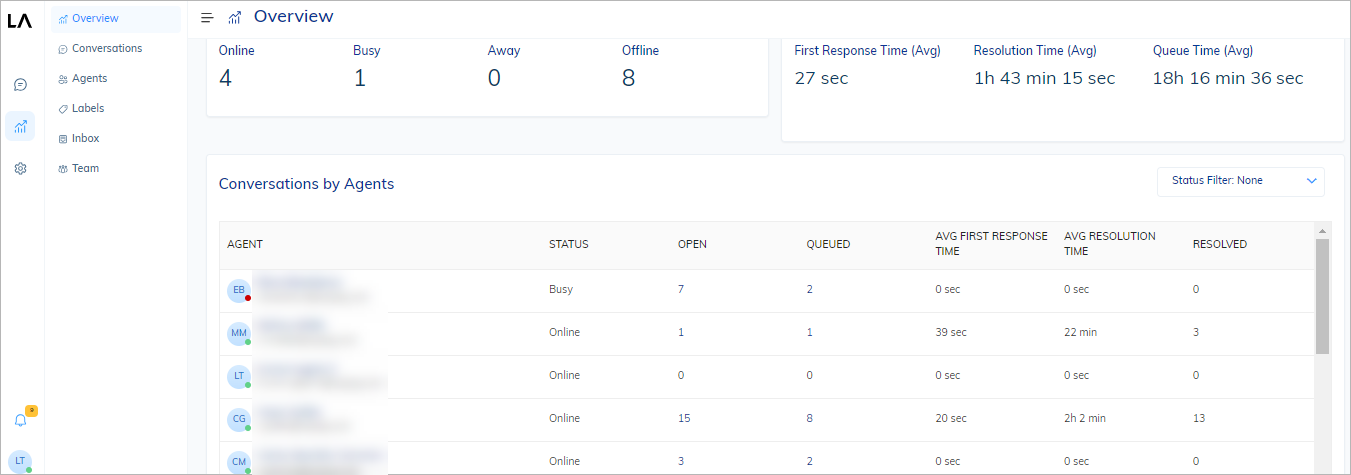
Conversations by Agents
Provides information about the status and performance of agents:
You can modify an agent’s status when they are online by clicking an agent icon in the Agent column of the table.
You can set their status as
Busy or Away.
However, if the agent is offline, any changes you attempt to make to their status will not be applied.
Additionally, you can filter the table data by agent status.
View Reports
To view a report, do the following:- In the Live Agent interface, go to Reports > Overview.
- At the top of the report, from the Inbox list, select an Inbox you want to inspect.