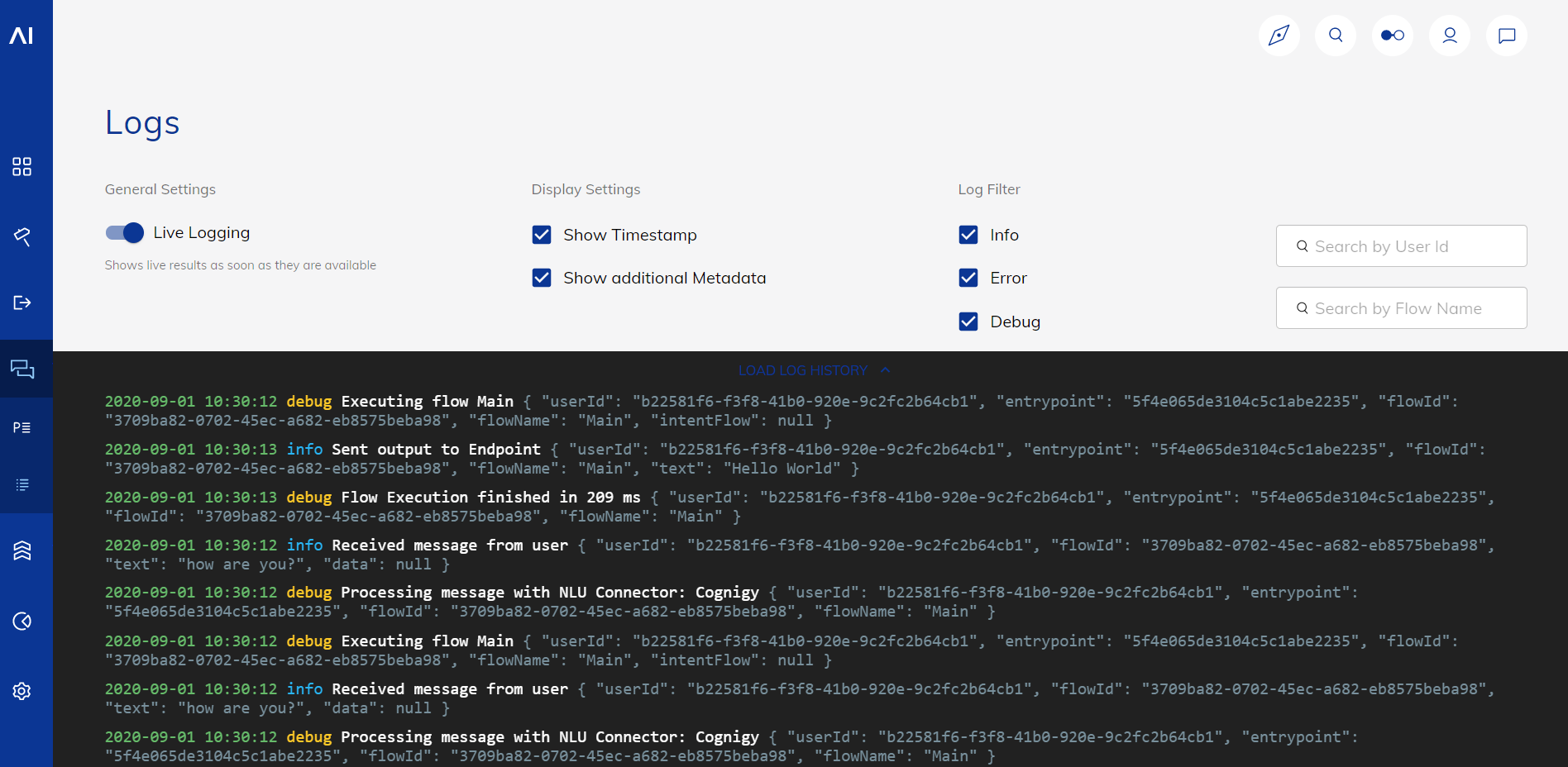
Logs are system records that contain information about input and output messages that AI Agents receive and send. The primary purpose of the logs is to debug workflows by observing if and where errors are occurring.Documentation Index
Fetch the complete documentation index at: https://docs.cognigy.com/llms.txt
Use this file to discover all available pages before exploring further.

Limitations
- Log entries on the Logs page are retained for up to 24 hours. By default, the Logs page displays the logs of the last 2 hours. To change this value, contact Cognigy technical support. Alternatively, use the GET Log Entries API method to view all retained logs.
Log entries
The following table provides an overview of the log entries.| Field | Description |
|---|---|
timestamp | The date and time of the log entry. The format is YYYY-MM-DD HH:MM:SS. |
log type | One of the following log levels:
|
message | Describes the event of the log entry. |
metadata | Additional data associated with the log entry, for example, organisationID, flowID, text, and other. |
Working with Logs
View Logs
- GUI
- API
To improve browser performance, the log list uses virtualization. This means your browser loads only the log entries visible on your screen at any given time. As a result, you can’t copy more lines than what’s currently visible.
| Setting Name | Function |
|---|---|
| Live Logging | Activates real-time log updates. This setting is activated by default. |
| Show Timestamp | Includes the timestamp of the log entries. This setting is activated by default. |
| Show Additional Metadata | Includes metadata related to input and output messages. This setting is activated by default. |
| Info | Includes log entries of the info type. This setting is activated by default. |
| Error | Includes log entries of the error type. This setting is activated by default. |
| Debug | Includes log entries of the debug type. This setting is deactivated by default. |