> ## Documentation Index
> Fetch the complete documentation index at: https://docs.cognigy.com/llms.txt
> Use this file to discover all available pages before exploring further.
# Webchat v3
> Discover Webchat v3, the latest Cognigy chat widget with improved customization, WCAG 2.2 accessibility, RTL language support, and npm package integration.
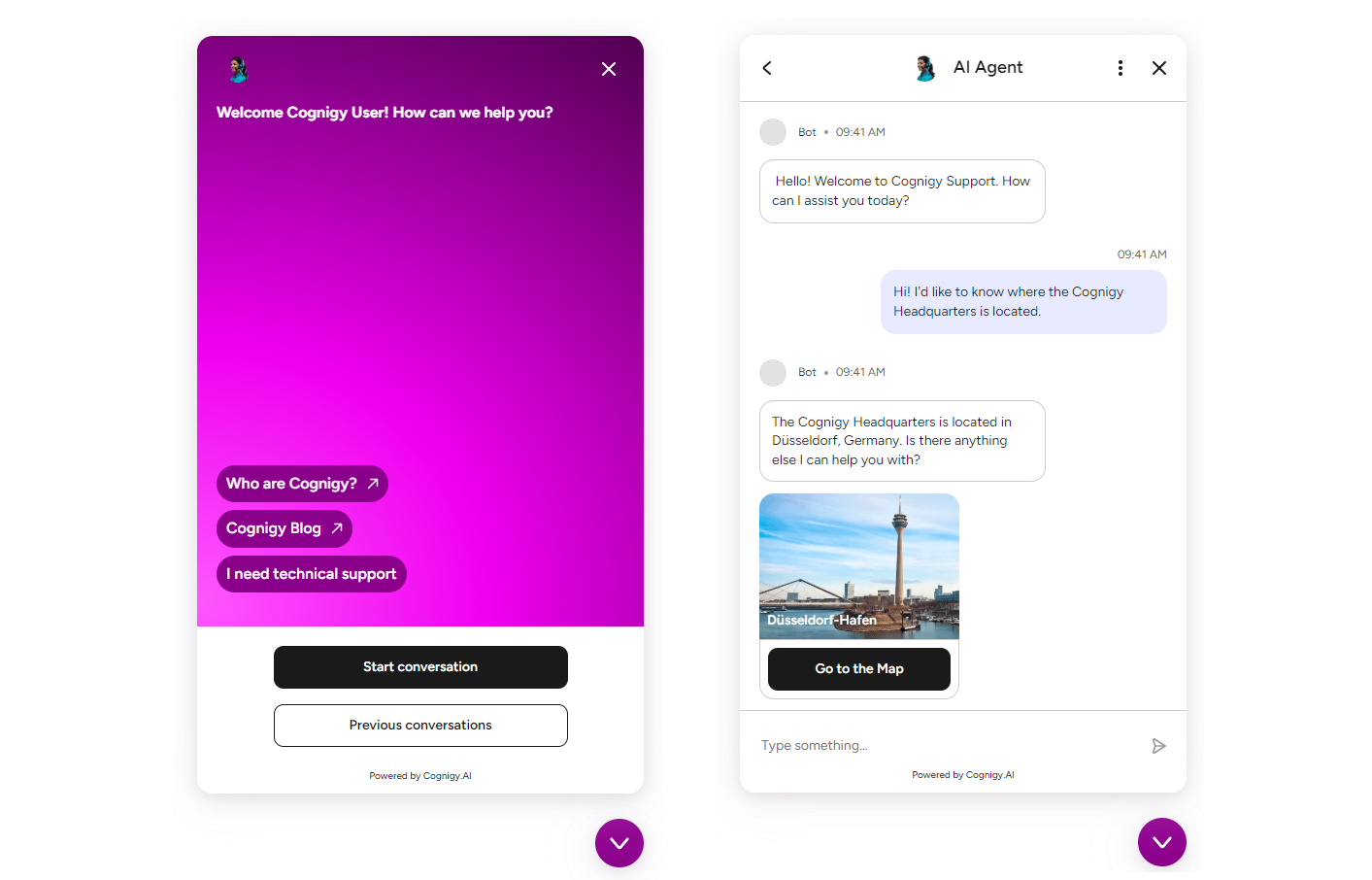
*Webchat v3* is a new version of Cognigy Webchat, compatible with 4.72 of Cognigy.AI or later versions.
Benefits of Webchat v3:
* **Enhanced User Interaction**. Webchat v3 offers improved features and functionalities, leading to better user engagement and interaction.
* **Customization Options**. With Webchat v3, you can customize the appearance and behavior of the chat widget to align with your brand identity and user preferences.
* **Advanced Functionality**. The latest version of Webchat provides advanced functionalities such as rich media support, chat history, and real-time typing indicators[1](#footnote1), enhancing the overall user experience.
* **Modern Design Out of the Box**. With Webchat v3, you no longer need to spend time extensively configuring styles; most settings are within the Endpoint configuration, allowing you to adjust styles in a user-friendly interface.
* **Adherence to Accessibility Guidelines**. Webchat v3 is fully aligned with WCAG 2.2 Level AA guidelines, guaranteeing enhanced readability, seamless navigation, and interactive functionality within the interface.
* **RTL Support**. Alongside the traditional LTR (left-to-right) layout, Webchat v3 supports RTL (right-to-left), enhancing usability for languages such as Arabic, Hebrew, Urdu, and more.
* **npm Package Support**. Alongside the hosted script integration, Webchat v3 supports the npm package, offering easier integration with modern frameworks, maintainable code, automatic updates, and compatibility with build systems and CI/CD pipelines.
If you're using Webchat v2 and looking to transition to Webchat v3, refer to the [migration guide](/webchat/migration).
 ## How to Start with Webchat v3?
Start by reading the documentation provided for Webchat v3.
These articles give you a fundamental understanding of its features,
configuration, and how to integrate it into your project:
1. [Key Features](/webchat/v3/features). Explore the Webchat v3 features.
2. [Supported Browsers](/webchat/v3/supported-browsers). Explore the supported browsers for Webchat v3.
3. [Configuration](/webchat/v3/configuration). Create a Webchat v3 Endpoint and customize various settings within it.
4. Test your Webchat v3 using the embedded [Demo Webchat](/webchat/demo) within the Endpoint settings, or build Webchat v3 locally using [developer tools](https://github.com/Cognigy/Webchat/tree/main?tab=readme-ov-file#building-your-webchat).
5. [Embedding](/webchat/v3/embedding/hosted-script). Launch the Webchat v3 version on your website.
***
: If you integrate Webchat v3 with a contact center, note that only [Cognigy Live Agent](/live-agent/index), [Genesys Cloud Open Messaging](/ai/escalate/handover-reference/genesys-cloud-open-messaging), and [Salesforce MIAW](/ai/escalate/handover-reference/salesforce-miaw) support the Webchat v3 typing indicator.
## How to Start with Webchat v3?
Start by reading the documentation provided for Webchat v3.
These articles give you a fundamental understanding of its features,
configuration, and how to integrate it into your project:
1. [Key Features](/webchat/v3/features). Explore the Webchat v3 features.
2. [Supported Browsers](/webchat/v3/supported-browsers). Explore the supported browsers for Webchat v3.
3. [Configuration](/webchat/v3/configuration). Create a Webchat v3 Endpoint and customize various settings within it.
4. Test your Webchat v3 using the embedded [Demo Webchat](/webchat/demo) within the Endpoint settings, or build Webchat v3 locally using [developer tools](https://github.com/Cognigy/Webchat/tree/main?tab=readme-ov-file#building-your-webchat).
5. [Embedding](/webchat/v3/embedding/hosted-script). Launch the Webchat v3 version on your website.
***
: If you integrate Webchat v3 with a contact center, note that only [Cognigy Live Agent](/live-agent/index), [Genesys Cloud Open Messaging](/ai/escalate/handover-reference/genesys-cloud-open-messaging), and [Salesforce MIAW](/ai/escalate/handover-reference/salesforce-miaw) support the Webchat v3 typing indicator.