

As of Cognigy.AI 4.60.0, the old NLP services are deprecated. We will only provide bug fixes for the old NLP services if they are critical. The old NLP services will be fully deprecated with release 4.64.0, at which point all on-premises customers should have migrated. After the 4.64.0 release, the old NLP services will no longer be available.
Introduction
We have improved our NLP services’ scalability, reliability, and security to handle large workloads and reduce hardware footprint. In doing so, we have split our existing NLP architecture into multiple smaller services that scale better independently. In addition, we have adjusted how we store the trained NLU models, leading to less memory required by the services when training the models. Due to this change, it is therefore required to rebuild the models on the system. Since manually rebuilding the models would take significant effort, we have written a migration job that takes care of it. This guide describes how to use the migration job. We have successfully migrated and removed the old NLP services on all customer production environments hosted by Cognigy.Terminology
This guide uses specific terms. Old NLP services Refers to the deprecated NLP services. NLP V2 stack Refers to the new NLP services that we have introduced.What’s New?
Changes to Functionality
These changes have no impact on the functionality of existing AI Agents. All intent models will continue to work as they do now, as we have not implemented any functional changes. To ensure this is the case, we have monitored thousands of requests and compared the intent results between the old and the new NLP services. Our findings showed that in less than 1% of requests, there was a change in the intent scores. In those few cases, the changes in intent scores were minimal.Changes to Service Architecture
The following services will be deprecated:service-nlp-score-<language>service-nlp-train-<language>
service-nlp-orchestratorservice-nlp-classifier-score-<language>service-nlp-classifier-train-<language>service-nlp-embedding-<language>
Migration Quality Assurance
The Cognigy team began deploying the new NLP services with the release 4.54.0 of Cognigy.AI. As a result, we already have significant experience running these services in production and migrating existing AI Agents to use the new services. Furthermore, we successfully migrated all Cognigy-hosted customer environments without downtime or impacting the users.Migrate Dev and Production Environments
If you have multiple environments running Cognigy.AI, such as development and production, then it is important to deploy NLP V2 on all environments at the same time. This ensures that Snapshots work smoothly when transferred between these environments.Prerequisites
Before beginning the migration, ensure the following prerequisites are met:- Deploy Cognigy.AI version 4.54.0 or higher.
- Deploy the NLP V2 stack in all environments (see below).
Install the NLP V2 Stack
Enable NLP V2
To enable the NLP V2 Stack, you need to set environment variables in thecognigyEnv config map and deploy some new services.
The environment variables that need to be set in the cognigyEnv config map are:
Add NLP V2 Services
The new NLP V2 stack contains the following services:service-nlp-orchestratorservice-nlp-embedding-<language>service-nlp-classifier-score-<language>service-nlp-classifier-train-<language>
values-local.yaml file according to this example:
Choose which Languages to Deploy
Similar to the NLP V1 stack, deploy the services for the languages that you need. The table below shows you which services you need for which languages. Note thatservice-nlp-orchestrator is always needed.
Scale down Old Train Services
When the NLP V2 stack is running, all new intent training jobs will use the NLP V2 stack. You can therefore already scale down theservice-nlp-train-<language> services. You can do this by setting enabled: false in the values-local.yaml.
Example:
Increase Memory Limit
Similar to the NLP V1 stack, you might run into issues with the default memory limit of the nlp-classifier-train service when training large models, though we have greatly improved the amount of memory necessary. We recommend beginning with the default resource constraints and then increasing the classifier-train service’s memory limit as needed. The orchestrator and embedding services do not require additional memory for training large Flows.Scale the NLP V2 Stack
As more projects begin to use the NLP V2 stack, the need for scaling may arise. The simplest approach is to monitor the NLP Orchestrator dashboard in Grafana, where you can assess the overall system latency and determine whether scaling is required for components such as embeddings or the classifier.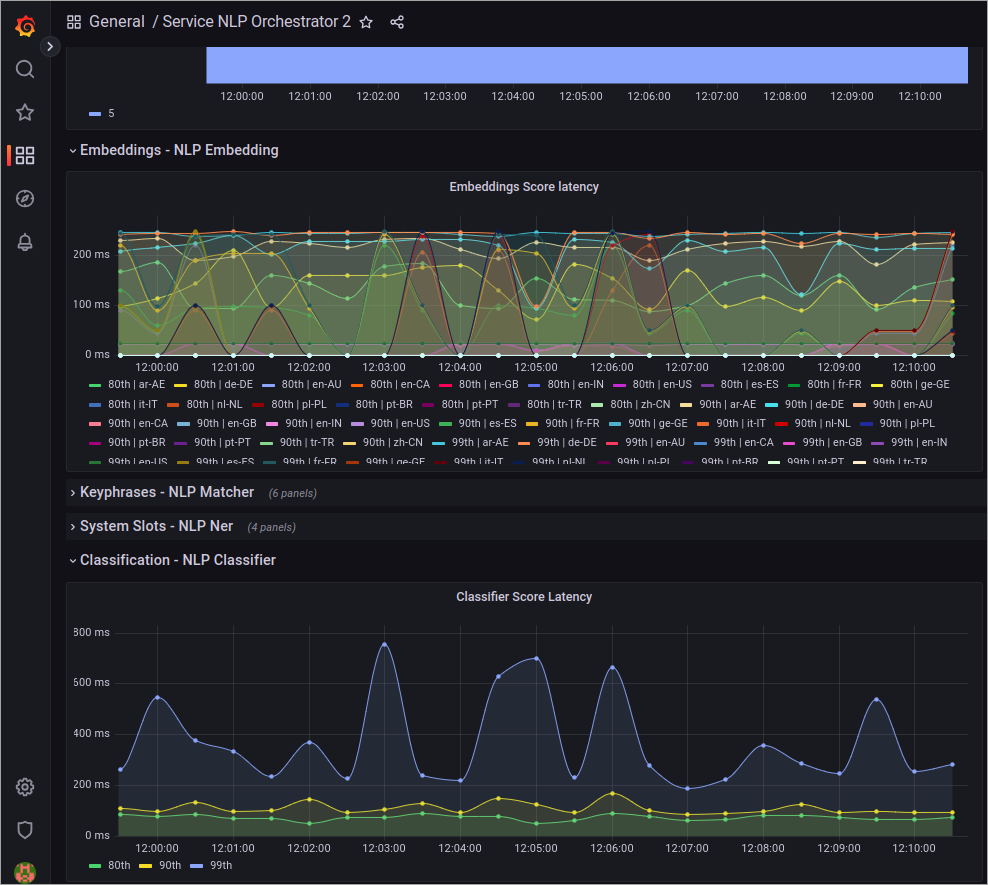
Validate that the Services are Deployed Correctly
To validate that the services have been deployed correctly, you can build the NLU model of a Flow. Then, open the logs of theservice-nlp-classifier-train-<language> service and ensure that the service is logging that it is training the model.
Run the Migration
The migration is run by applying aKubernetes Job into the cluster. This job will run for some time and migrate all existing NLU Models to the NLP V2 Stack. Before running the migration script, ensure the NLP V2 stack is properly running as per the last chapter.
The standard migration job will migrate all models across all organizations and languages, including models in Snapshots. It will migrate three projects simultaneously, with one Flow per project.
Which Environment to Migrate First?
In case you have multiple environments, such as development and production, then the development environment should be migrated first.Tweak the Migration Parameters
If the standard configuration doesn’t align with your preferred way of migrating the models, we offer various configuration options to tailor the process to your needs. For example, you can select specific projects or speed up the migration. To do this, use the following parameters:Increase the Speed of the Migration
The migration process can take a considerable amount of time, depending on the number of Flows present in the environment. If you have the option to add extra hardware for the migration or if you have additional capacity available, it’s possible to scale up the NLP V2 stack and migrate multiple projects simultaneously. To achieve this, we recommend migrating language by language. For instance, start by migrating all English models, followed by all models that use theXX container group, and so on.
To scale up the services, use the following guidelines:
- If you want to migrate 20 models at once, increase the capacity of the
nlp-classifier-train-<language>service to handle 20 training jobs simultaneously. - If you have 20 classifiers, increase the number of replicas for the
service-nlp-embedding-<language>service to 8, which corresponds to 40% of the total number of classifiers you possess. - If you have 20 classifiers, increase the number of replicas for the
service-nlp-nerservice to 16, which corresponds to 80% of the total number of classifiers you possess. - If you have 20 classifiers, increase the number of replicas for the
service-nlp-orchestratorservice to 4, which corresponds to 20% of the total number of replicas ofservice-nlp-classifier.
-c and -cf parameters to achieve the number of models to train in parallel. If you have many projects, we recommend using a higher value for -c. Conversely, if you have a few projects with a lot of Flows, it is advisable to set a higher value for -cf.
Here is an example of training 20 Flows in parallel for the XX train group:
Run the Job
To run the job, use thekubectl apply command to apply it into the namespace:


Re-run the Job
If the job fails or if you need to run it again, it is always safe to do so. The job is aware of which models still need to be migrated and will continue where it left off.Clean up Old Data
After completing the migration of all models, you might encounter a situation where the migration script still indicates that there are V1 models pending training. This situation can occur due to old data not thoroughly cleaned up, for example, during the deletion of Snapshots. To resolve this issue, run the job again with the-r flag, which will repair the data. Only run this after you have completed all other migration tasks.

Check if Migration is Complete
To ensure that the migration has been completed successfully and that NLP V1 is no longer in use, check the Service NLP dashboard in Grafana. Here, you can monitor the traffic received by the old NLP V1 stack. We recommend observing this for a couple of days, and if it consistently shows 0 loads, you can safely remove the V1 stack.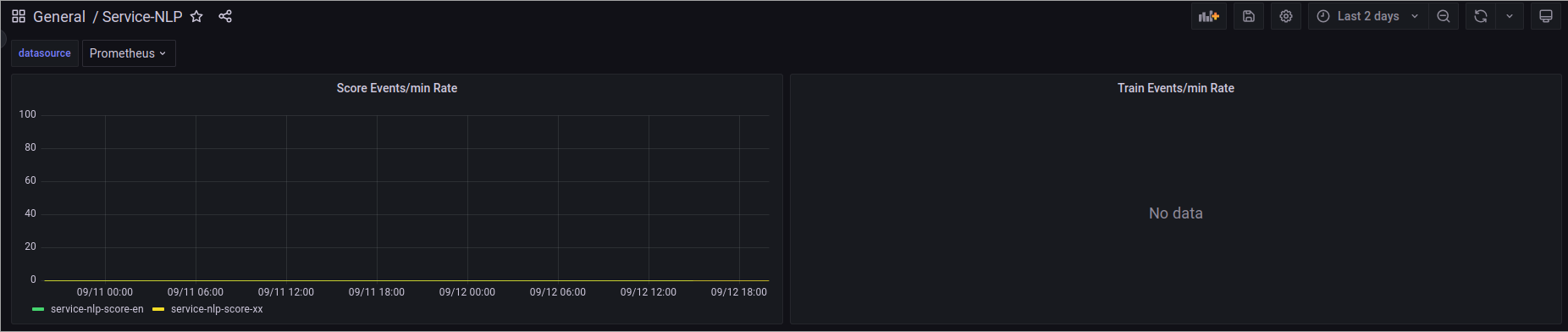
Remove the NLP V1 Stack
To remove the NLP V1 stack, remove theservice-nlp-score-<lang> and service-nlp-train-<lang> services from your values-local.yaml file.